
Download Band Studio – music recording app, multi-phone recording, band recording, mobile studio, virtual mixing console, Android music app, free music software, music collaboration tool
Overview
Band Studio is a specialized Android application developed by Hilgrow, designed for music creators seeking a flexible and accessible way to record live performances. As a free tool in the Multimedia category, it targets musicians, bands, solo artists, and music producers who want to capture high-quality audio without relying on expensive studio equipment. The app enables simultaneous recording from multiple devices, offering a unique alternative to traditional digital audio workstation (DAW) software.
Instead of requiring a central recording setup, Band Studio functions as a virtual mixing console, allowing each band member to record their instrument using their own smartphone. This approach simulates a professional studio environment where multiple microphones capture different sound sources in real time. The software is particularly well-suited for informal rehearsals, live stage recordings, or remote collaborations where physical studio access is limited.
By leveraging the built-in microphones and audio processing capabilities of Android devices, Band Studio streamlines the recording process into a single, intuitive workflow. The app’s release on the Google Play Store ensures broad accessibility, making it a practical choice for creators at any skill level.
Key Features & Capabilities
- Multi-Phone Recording: Enables multiple Android devices to record individual instrument tracks simultaneously, eliminating the need for a central recording setup.
- Virtual Mixing Console: Acts as a centralized interface to manage and synchronize recordings from various devices, offering a studio-like mixing experience.
- Real-Time Synchronization: Ensures all recordings are aligned in time, preserving the natural timing and dynamics of live performances.
- One-Touch Mix Capture: Allows users to generate a complete mix of the performance instantly after recording ends, simplifying post-production.
- Mobile-First Design: Optimized for Android smartphones, making it ideal for on-the-go music creation and collaboration.
These capabilities make Band Studio especially useful in scenarios such as garage band rehearsals, impromptu jam sessions, or remote music collaborations. Each musician can use their own device to record their part, and the app handles the rest. The resulting mixed audio file can be exported for sharing, editing, or further production. This feature set supports both amateur and professional workflows, bridging the gap between casual recording and semi-professional output. The app’s focus on simplicity and accessibility enhances usability without sacrificing core functionality.
User Interface, Workflow & Performance
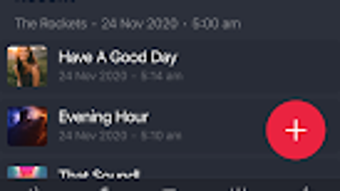
The user interface of Band Studio is designed around the concept of a virtual mixing console, with intuitive controls for managing multiple audio sources. Navigation is streamlined through a central dashboard that displays connected devices and their respective audio inputs. Users can initiate and monitor recordings with minimal interaction, reducing setup time and allowing focus on performance.
The workflow is optimized for live recording sessions, where timing and ease of use are critical. After recording, the app automatically compiles a mixed output file, minimizing manual editing. While specific performance metrics such as CPU usage, RAM consumption, or latency details were not provided, the app’s lightweight nature—12.4 MB in size—suggests efficient resource utilization.
The developer did not specify resource usage details, but the compact footprint indicates a low overhead design. Stability during extended recording sessions remains unverified, though the app’s purpose implies a focus on reliability for real-time audio capture. Overall, the interface prioritizes clarity and responsiveness, aligning with the needs of musicians who require a distraction-free recording environment.
Compatibility & System Requirements
Band Studio is designed exclusively for Android devices, ensuring compatibility with the broader ecosystem of smartphones and tablets running the platform. The app is available in version 1.0.1, with a download size of 12.4 MB. This relatively small footprint suggests broad compatibility across various Android hardware configurations.
However, exact system requirements such as minimum Android version, processor specifications, or RAM thresholds were not listed. The developer did not provide additional system requirements, so users are advised to ensure their device supports modern audio recording and network synchronization features. Since the app relies on multiple devices working in tandem, stable Wi-Fi or Bluetooth connectivity is likely necessary for proper operation, though this was not explicitly confirmed.
Platform compatibility information is limited to Android, with no indication of support for iOS, Windows, or Mac. For users seeking cross-platform functionality, this may be a constraint. The app’s availability on the Google Play Store simplifies installation and updates.
Pros and Cons
Pros
- Free to download and use, making it accessible to a wide range of users.
- Enables multi-device recording without the need for external hardware.
- Simulates a professional studio environment using only smartphones.
- Streamlined workflow with one-touch mix generation.
- Compact size (12.4 MB) ensures minimal storage impact.
Cons
- Exclusive to Android; no support for iOS or desktop platforms.
- Exact system requirements were not specified.
- Relies on multiple devices, which may limit usability in low-participation settings.
- Performance under heavy load or long sessions was not tested or reported.
- Limited to audio recording; no built-in editing or effects processing.
FAQ Section
Is Band Studio available for iOS devices?
Band Studio is currently designed exclusively for Android. There is no official version available for iOS devices at this time.
Can I use Band Studio without an internet connection?
While the app may function for local recording, synchronization between multiple devices likely requires a stable Wi-Fi or Bluetooth connection. Offline usage is not confirmed.
Does Band Studio require a paid subscription?
No, Band Studio is completely free to download and use. There are no in-app purchases or subscription fees reported.
How many devices can I connect to Band Studio at once?
The app supports multiple Android devices for recording, but the exact maximum number of simultaneous connections was not specified.
Is my recorded data stored securely?
The developer did not provide information on data encryption, cloud storage, or privacy policies. Users should review the app’s permissions and privacy settings.
Final Thoughts + CTA
Band Studio presents a compelling solution for musicians and music creators seeking a low-cost, accessible way to record live performances using only smartphones. Its innovative use of multi-phone recording and a virtual mixing console interface sets it apart from conventional music apps. While limited to Android and lacking detailed system specifications, the app delivers on its core promise: enabling collaborative, high-quality recordings without studio equipment.
The free pricing model and compact size enhance its appeal, particularly for amateur bands, solo artists, and educators. Though advanced editing features are absent, the app’s focus on simplicity and real-time mix generation makes it ideal for quick captures and informal production. For users in the Android ecosystem who value creativity and collaboration, Band Studio offers a practical and innovative tool.
Download Band Studio now.







